Archive for the ‘Wordpress’ Category:
Blogging with Windows Live
April 7th, 2011 / 12 Comments »
I mentioned Windows Live Writer here before, and also back when I first tested it with my Blogger platform blog. I’ve been using it a lot again lately, and loving it even more. ![]()
When I launched Between the Covers, I didn’t like Blogger’s default post-writing options. Something to do with the formatting that doesn’t jive well with me. So I used WLW and it fixed what I wanted to fix without so much as a fuss. Working on the WP Dashboard is so easy that I never really though about blogging through WLW for my other sites, but that has recently changed as well.
The client downloads your theme settings and works for both Blogger and WordPress. There may be more platforms that are compatible with WLW, but those are the two that I use for my blogs. I found that some WordPress themes may not work well with the client, but the ones I am currently using are working just fine (FireBug and LightBright by Elegant Themes). As you compose your updates, you have an instant preview of how it looks on your published blog. ![]()
WLW also makes it so easy to add links, photos, and videos.
Photo sharing on your blog is also made easy by Windows Live Writer. You can edit from within the client, and add watermark too! The recent photos I uploaded here were watermarked using WLW. So you don’t have to save watermarked copies on your hard drive anymore (unless you’re sharing them elsewhere too). ![]()
There are also gadgets that can be installed onto WLW. I haven’t explored those much but I have so far downloaded one that Tweets a link to your post as soon as you publish it. I can’t find the link just now but I’m pretty sure I’ll be writing about this blogger’s tool again, I’ll be sharing more links then.
Learn more about Windows Live Writer. And no, this isn’t a sponsored post. ![]()
Fixed my feeds
February 1st, 2009 / No Comments »
While surfing and leaving comments at other blogs, I noticed that wherever there was CommentLuv, my last post was never detected. I couldn’t remember whether it started just after I moved to Dreamhost or before then. I checked the forums at WordPress and saw similar issues reported by other bloggers using the platform. Someone said (sorry I forgot who) that it had something to do with feeds. So I moved on to check issues about feeds and true enough, I checked my own feed and found an error instead of my posts. Still through the forums at WordPress, someone mentioned that the error seems to indicate blanks in the code. I searched for where there could possibly be blank lines but didn’t find any, because I wasn’t looking at the right place. I didn’t think to check through Feedburner then.
Tonight it just occurred to me to check Feedburner. I clicked on the Troubleshootize button and there they suggested checking the feed through Feed Validator. That’s where I got the direction to solve the problem. It specified where the blank was and which files could be containing them. I then accessed the files via FTP and found the culprit. So now my feeds are back to normal. I don’t have subscribers though
But what the heck, at least I know it’s working for anyone who might want to subscribe eh?
So anyway, I hope this helps anyone out there who may be encountering the same issue I had.
(Okay, I just realized that images in my posts are not showing properly through the feeds… another problem to find a solution for… any suggestions?)
Testing Media uploads
January 28th, 2009 / No Comments »
I was wondering why any photo I upload with my posts were displaying as red x’s. I had thought that it was the directory specified in the Miscellaneous settings in WordPress, but when I checked it, I didn’t find anything unusual and I felt that it was correct. But days went by and the issue went unresolved, I resorted to uploading my photos via FTP instead and linking to them for the posts. I just read up about it in the WP forums and realized that the path for uploads may actually be wrong!
I just went in there to check, and yeah, the directory looks incorrect. So here’s testing if it works properly now..
Okay, the first attempt was unsuccessful. The directory I specified was wrong… Let’s change it again and see what happens…

Okay, that took about three or four tries but I finally figured it out! It was a problem with the path.
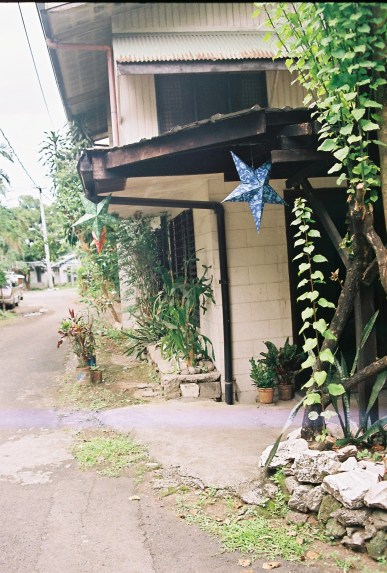
I took this photo using Frankie. This was where my mom’s family lived for years. I’m not sure how many years exactly but when I was born until I was around 7 years old, this to me was my grandparent’s home. This was the house we first referred to as sa baba or roughly translated – downstairs, down south, or just down. We called it that way because the house we lived in was located in the same community, but geographically ‘higher.’ The St. Andrew’s Seminary Compound has a geography that I’d call rolling hills, so you’d literally go up and down. Hehe. So Papa and Lola’s place was somewhere lower than ours.
Anyway, the house still stands and a priest who teaches at the Seminary and his family lives there now. The front door was moved to the side, and the pig pens are no longer out back. Aha, I just remembered, I should have shot the avocado tree too, if it’s still there…
Hosted by Dreamhost!
January 19th, 2009 / No Comments »
I am back in business! I have managed to transfer my database backup, and also uploaded all of my site files – I am officially hosted by Dreamhost now! Woot woot!
Page Rank and SEO
December 15th, 2008 / 3 Comments »
I really used to not care so much for page rank and SEO rankings. But it’s been several months already and verabear.net is still PR0. There must be something wrong. I’ve seen WordPress templates tagged as SEO friendly but I don’t really know what that means. Is there anything I can do, or a plugin I can use that will help me to raise my PR?
I am not losing sleep on this. I still blog mainly for personal reasons, earning from my blogs are only secondary. Still, it wouldn’t hurt to have bragging rights for high PR right?